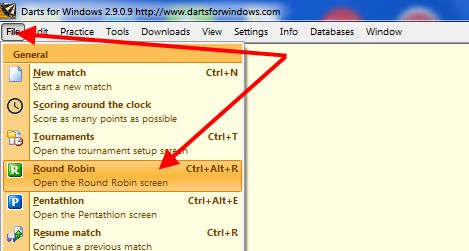
To setup a Round Robin with multiple rounds, open the "Round Robin" tab in the "Tournaments" screen as shown in the screenshot below.
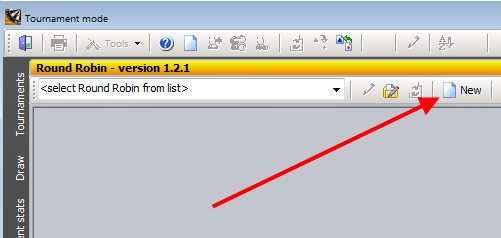
To create a new Round Robin, click the "New" button as shown below.
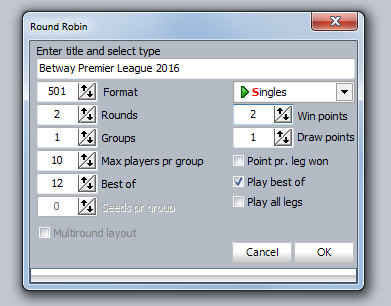
Fill in the title, rounds, number of players (max number) pr. group, best of and win points for example.
In the Premier League the format is best
of 12 legs (or first to 7 legs), it is 2 rounds and 10 players
in the group (only 1 group).
You get 2 points for a win and 1 point for a draw.
When done with the setup, click "OK" to save and close the window.
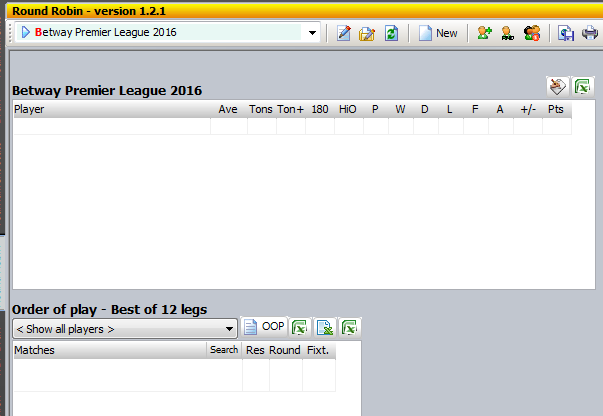
This is how an empty Round Robin with multiple rounds and 10 players in the group looks like.
Next step now is adding the players.
The order you put in the players does not matter really. It affects only the order of play ("OOP"), but the order of play
can also be changed manually later using drag and drop or you can randomize the Round Robin as shown in the next step.
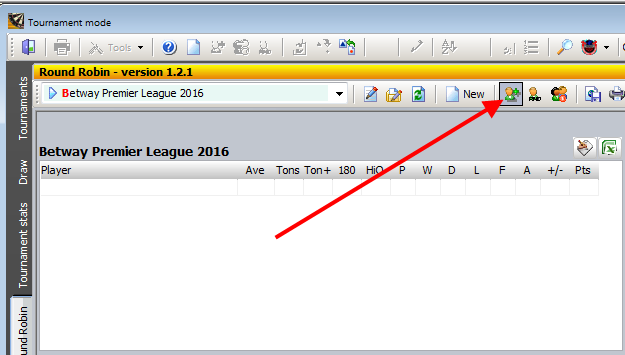
If you want to randomize the Round Robin before you setup the order of play, click the button as shown below.
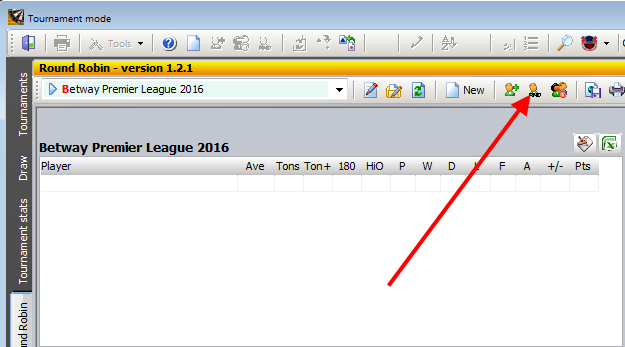
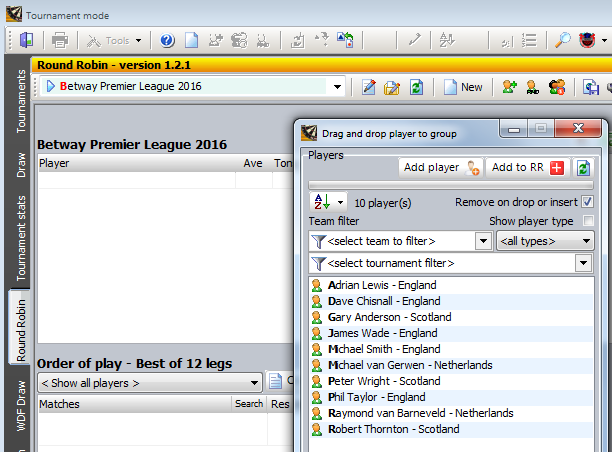
There are several ways you can add the players to the Round Robin. If the list contains only the players who is going to play
in this Round Robin, click the "Add to RR" button and DfW will add the players by random. You can also drag and drop the players into the table (the grid on the left) or double click the players, one by one to add them
in the order you want.
In this sample I start from the top and put in the players alphabetically.
Players added...
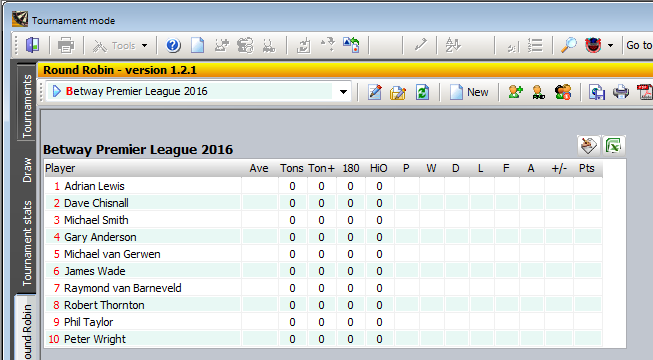
After adding th eplayers to the table (or group if you like), we set the
order of play. The order of play is set with just a click on the "OOP" button on top of the "OOP" grid. When less than
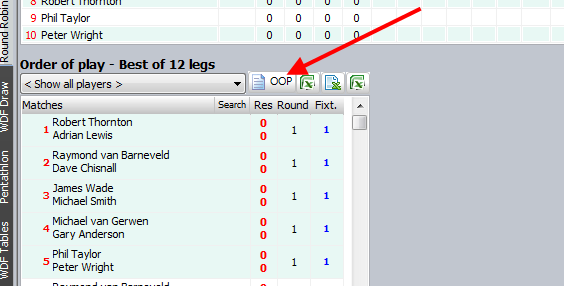
The order of play is automatically saved to the database so there is nothing to be done
to keep the order.
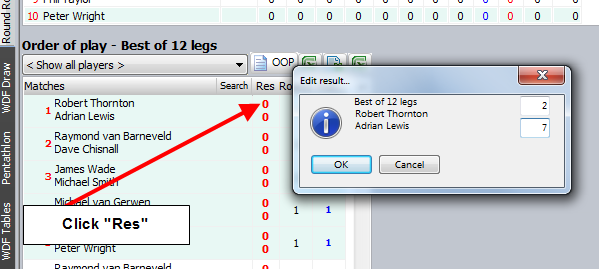
To maintain the table, you can add results manually, drag and drop matches from the "Match log" screen (the line must correcspond to the correct round number, does not have to
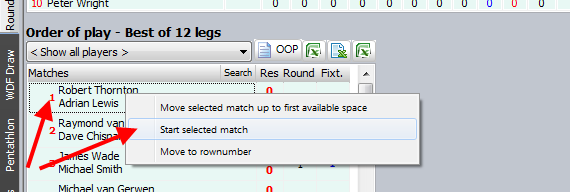
be the correct match, DfW will find the correct one) or you can start the match from the "OOP" grid (RIGHT click the match) and DfW will put in the result and points for you.
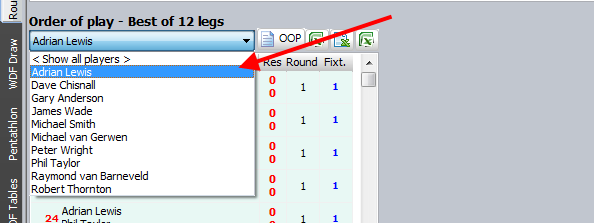
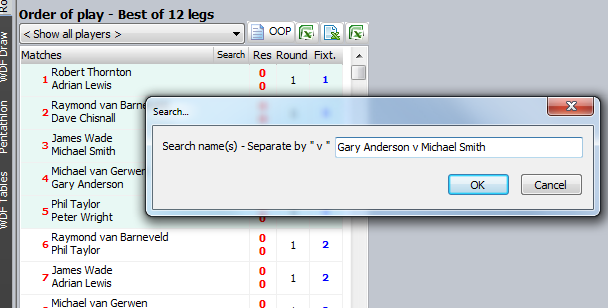
You can filter the players and you can also search for specific matches in the "OOP" grid.
Click the small "Search" button in the header of the grid to search for matches.
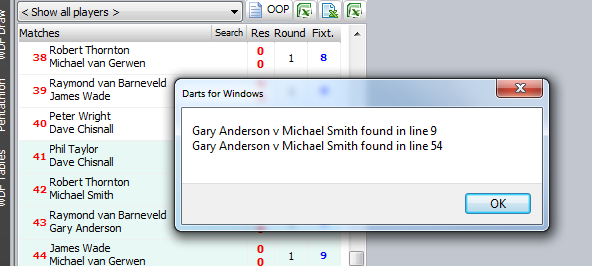
Match found...
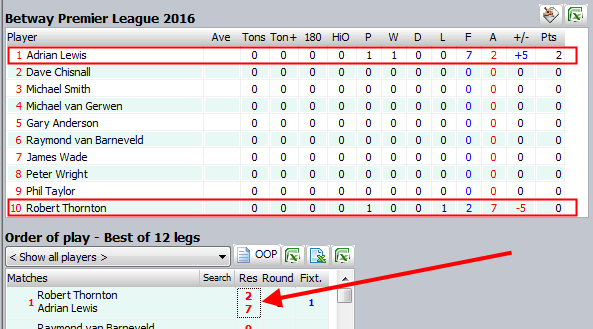
The table will be sorted automatically as soon as you put in a result, a match has been played or added by drag and drop from the "Match log" screen.
The sorted table after added a result manually.